
01
Know the plan without hunting.
One calendar for every kid, each in their own color, even when the teams use different apps. Today shows what’s next and when to leave.
Now on the App Store
Every game and practice for every kid, from every team app, in one calendar. And one alert when anything moves.
Throw a chip. Or scroll.
Ten schedules, from team apps to school and camp calendars, fall into a pile. As you scroll, Huddle pulls them in and they become one calendar.
An example Saturday, 7:30 AM
The game time is in one app. The field change is in a thread you muted in September. Someone said they could drive, but you can’t find who. You are the integration between all of it.
Your coach keeps using whatever they use. Huddle reads each team’s calendar and puts it next to school, camps and everything else your kids do. Then it tells the right adult, at the right time.
Works with your team apps
Huddle reads the calendar links you paste in. It isn’t affiliated with or endorsed by the teams or services that publish them.
What you get back
01
One calendar for every kid, each in their own color, even when the teams use different apps. Today shows what’s next and when to leave.
02
When the team app changes a game, you get one alert: the new time, then the place. Not a thread to scroll. Not a coach email from Tuesday.
Swipe the notification away.
03
A parent offers seats in the team chat. You ask for one, and the driver’s family approves it right there. Every confirmed seat gets a pickup code, said at the curb. No one types a PIN into a group text.
How it works
Paste the calendar link each team app publishes. Huddle reads the schedule and never changes it.
Invite your co-parent or a caregiver. A caregiver sees the schedule and can drive. Team chats let new families in only when a family already there says yes.
Changes arrive as one alert. Huddle Assistant posts anything that needs you in your family’s own thread.
And the rest of Saturday
04
Share this day makes one picture of every game, with each time and field, and sends the same day as text with directions.
Flick the picture into the message.
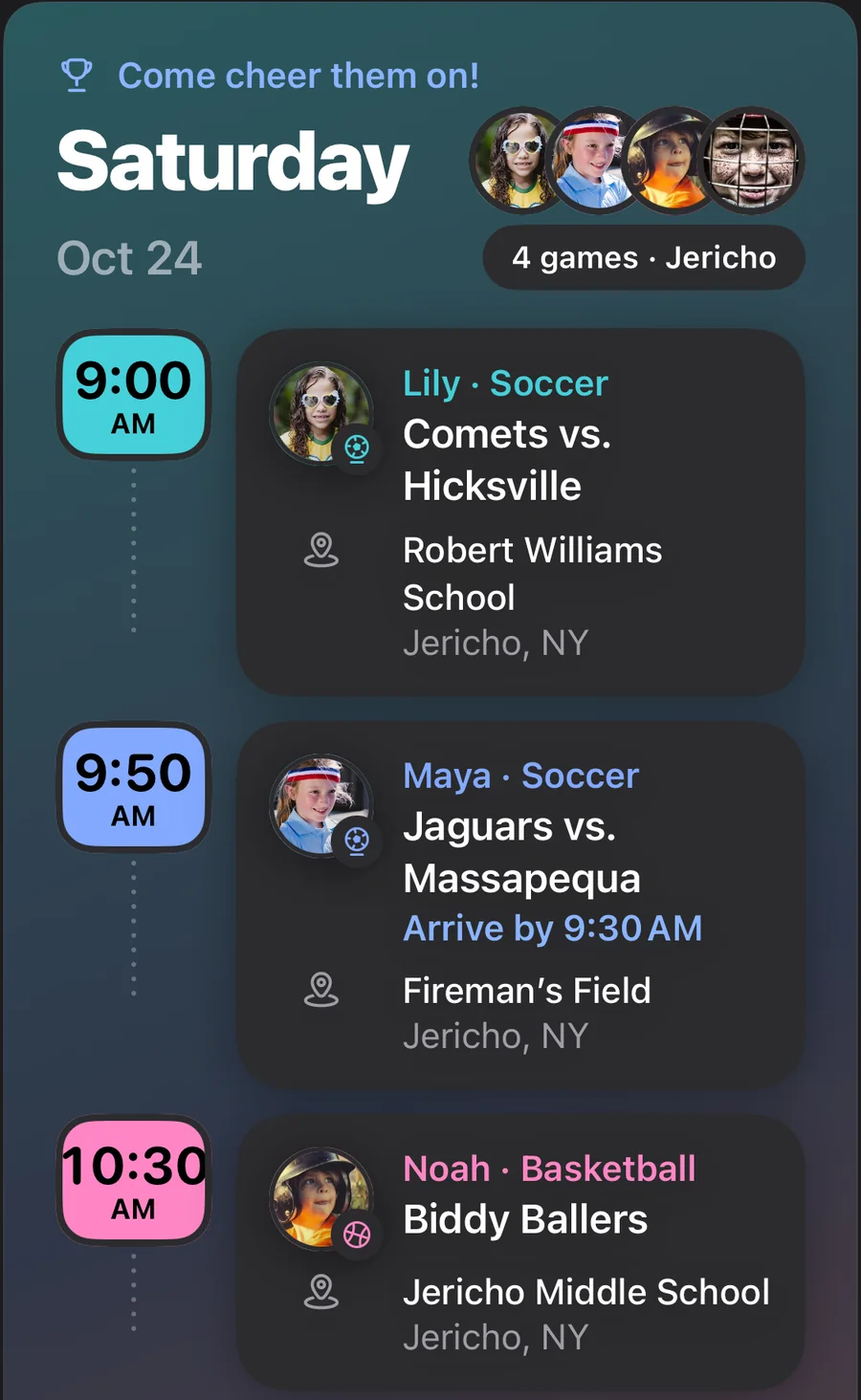
05
Ask from the game. Huddle Assistant puts the question in the team chat, and every family answers right there: Going, Maybe or Can’t.
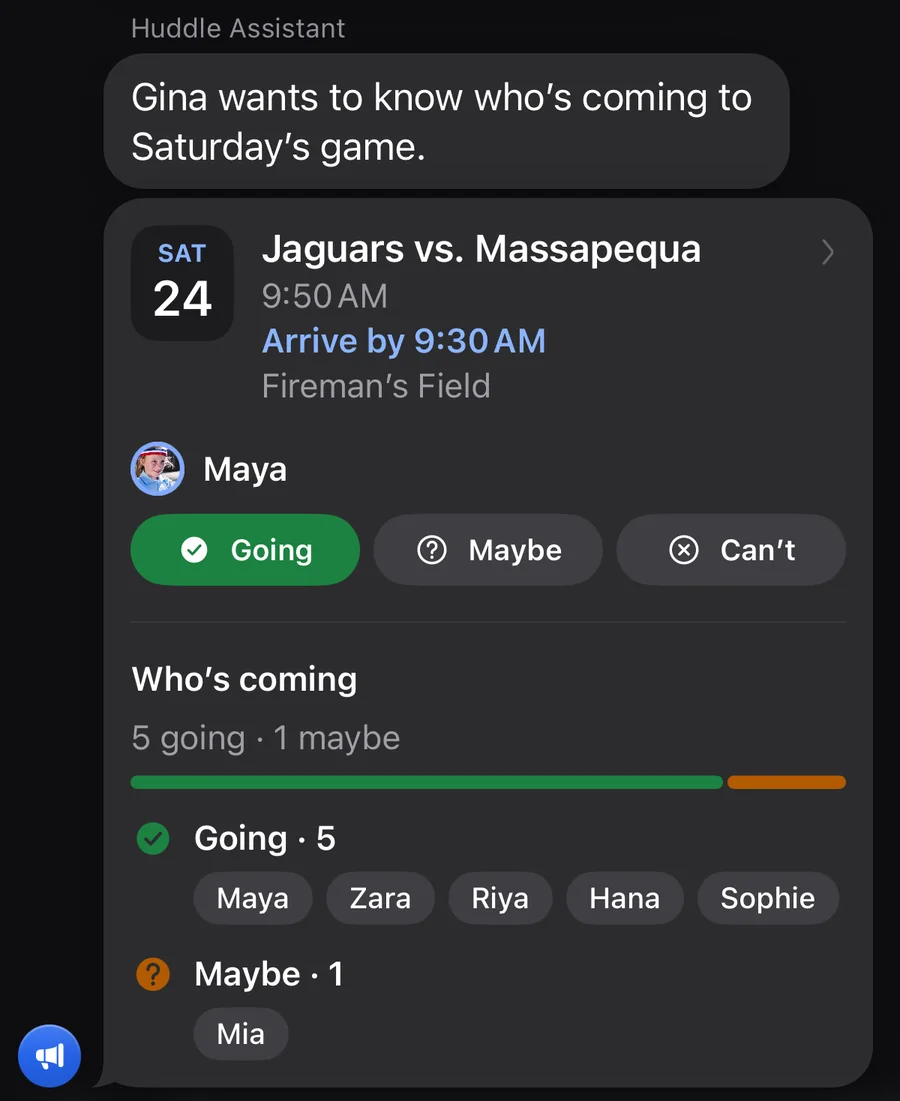
06
Leave-by comes from the real drive time and the time the coach wants players there. The drive is worked out on your iPhone, and your location never leaves it.
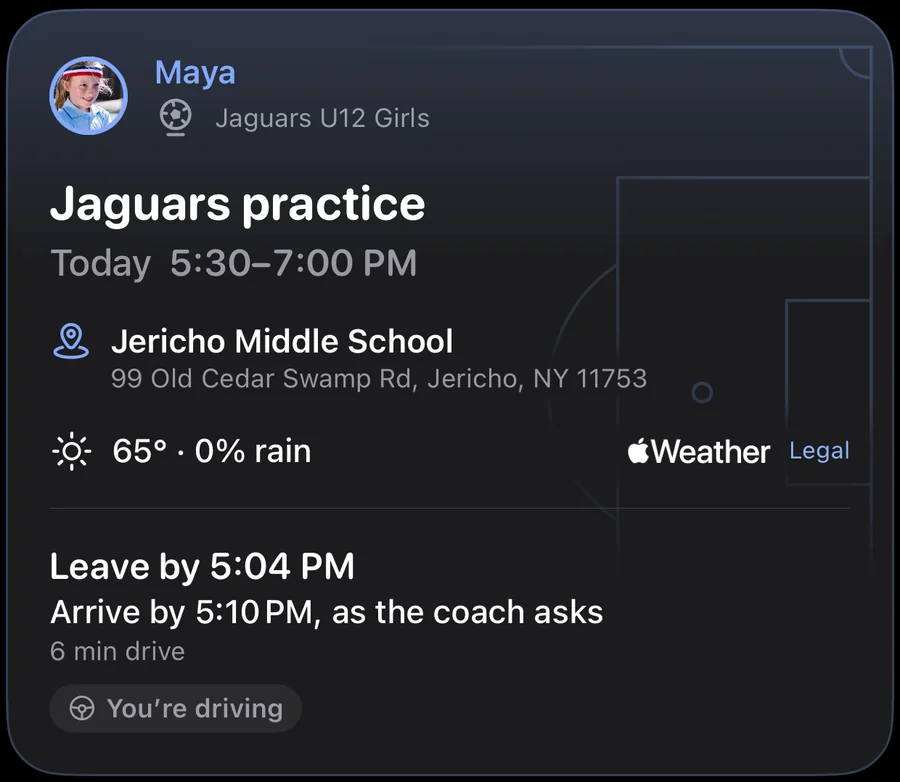
07
When a kid has two events at once, or no parent or caregiver is free to drive, Huddle flags it and suggests a fix.
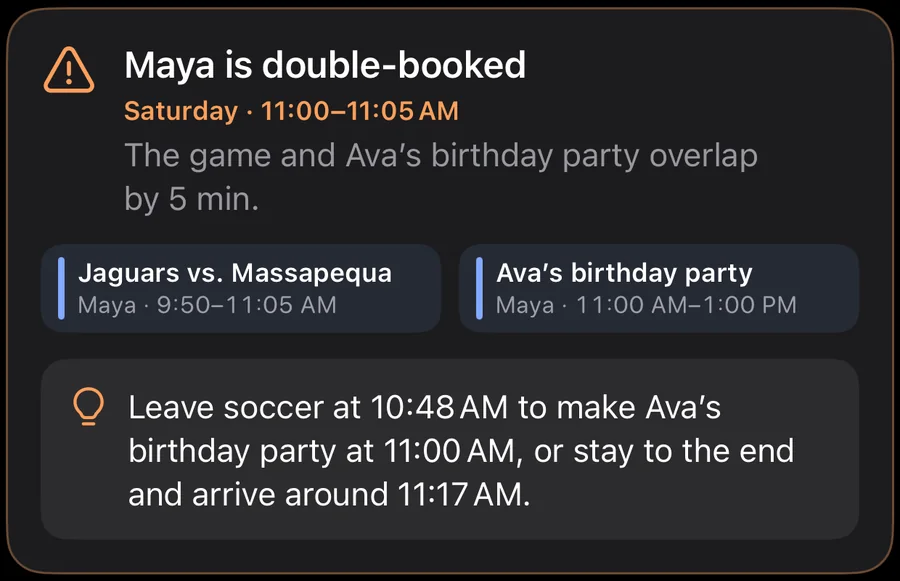
Screens are from the Huddle app. Names, places and times are examples.
Privacy
No. Your coach keeps using whatever they use. Huddle reads the team calendar and puts it next to everything else your family does.
No. Coaches don’t appear as members. Their changes reach you through the team calendar.
Only adults in the team chats your family is in, and only your kid’s first name. See our Privacy Policy.
Yes. Invite them as a caregiver. A caregiver sees the schedule and can drive, but can’t change the kids, teams or adults.
Huddle is $1.99 on the App Store, for iPhone.
Yes. Huddle is an iPhone app, available in the United States.
On the App Store
Huddle is on the App Store for $1.99, for iPhone.
Questions? Email huddleapp@mail.grokbot.com or visit Support.
Use the buttons above when you have a question. To talk with other families, open a team chat.